
Published: · Updated:
An IPTV encoder is a device or program that takes a video source, such as a cable box, camera, media player or satellite receiver, compresses it into a digital format like H.264 or H.265, and sends it out as a stream over an IP network. Once the signal is on the network, TVs, set-top boxes, phones and computers can play it like any other channel. The encoder is the first link in the chain: it turns “a picture on a cable” into “packets on a network”.
Tired of buffering? Get stable HD and 4K streams
IPTV Journal streams in HD and 4K with 24/7 support if anything goes wrong. Plans from $40.
This guide covers the main types of IPTV encoders, hardware vs software, codecs and bitrates, what makes a true 4K IPTV encoder, and what real models cost. It is written for hotels, schools, churches, gyms, offices and hobbyists who distribute their own content or content they are licensed to redistribute, which is the only legitimate use of this equipment.
What an IPTV encoder does
Every IPTV encoder does the same job in four steps.
- Capture. It receives video and audio from HDMI, SDI or a network stream.
- Compress. It encodes the raw signal with a video codec (usually H.264 or H.265) and an audio codec (usually AAC or MPEG audio).
- Package. It wraps the compressed audio and video in a container, most often MPEG transport stream (MPEG-TS) for network delivery, or splits it into segments for HLS.
- Send. It pushes the stream onto the network using a protocol such as UDP multicast, RTMP, SRT or HTTP, where players or a headend pick it up.
An encoder on its own produces channels. Turning those channels into a full TV service, with a channel list, program guide, middleware and set-top boxes, is the job of an IPTV headend, which usually includes one or more encoders as its input stage. For what the resulting stream actually is, see our explainer on how an IPTV stream works.
Types of IPTV encoders
IPTV encoders fall into three broad families.
Single-channel hardware encoders (HDMI and SDI)
These are small boxes, often palm-sized, with one video input and an Ethernet port. HDMI models are the most common choice for small businesses and hobbyists because they accept the output of media players, PCs, consumer cameras and many cable boxes. SDI models suit professional cameras and long cable runs. Some compact units, like the Kiloview E3, take both an HDMI and an SDI input in one box.
Multi-channel rack encoders
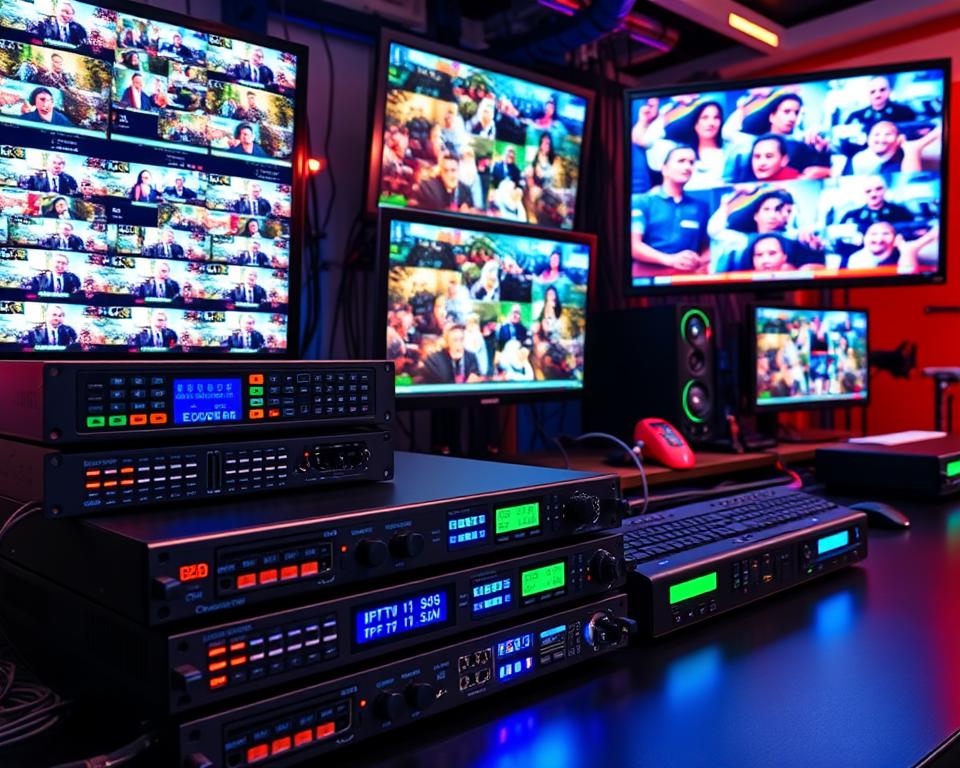
Rack-mounted encoders take 4, 8, 16 or more inputs in a single 1U or 2U chassis, sometimes with modular input cards for HDMI, SDI or tuners. Many can combine all channels into one multi-program transport stream (MPTS). Hotels, hospitals, stadiums and campuses use them because one box can feed an entire channel lineup.
Software encoders (OBS, FFmpeg and others)
A software encoder runs on a regular computer with a capture card or a file as its source. OBS Studio is a free, open-source app that can stream over RTMP and, in current versions, SRT and RIST, which makes it popular for churches, events and live productions. FFmpeg is a free command-line tool that can encode a capture card or file and output UDP multicast, RTP, RTMP, HLS and, when built with libsrt, SRT.
Hardware vs software IPTV encoder
The hardware vs software IPTV encoder choice is mostly about uptime, not picture quality. A modern PC with a good GPU produces excellent H.264 or H.265 video; the difference is what happens when the operating system updates or a capture driver crashes at 3 a.m.
| Factor | Hardware IPTV encoder | Software IPTV encoder |
|---|---|---|
| Upfront cost | Around $400 to several thousand dollars | Free software, plus a PC and capture card |
| Reliability | Purpose-built, boots straight into encoding, designed for 24/7 | Depends on the OS, drivers and the PC staying awake |
| Flexibility | Fixed feature set, updated by firmware | Overlays, scenes, scripting, any protocol FFmpeg supports |
| Management | Web interface, often SNMP or an API | Remote desktop or scripts you maintain |
| Best for | Hotel channels, digital signage, always-on feeds | Church services, events, labs, testing |
A common pattern is to use software while you prototype a channel lineup, then move permanent channels to dedicated hardware once you know exactly what you need.
Codecs: H.264 vs H.265 (HEVC)
The codec decides how efficiently an IPTV video encoder squeezes the picture, and whether your screens can play the result.
- H.264 (AVC) is the safe default. Almost every TV, set-top box, browser and phone made in the last decade can decode it, which makes it the right choice for mixed fleets of older TVs.
- H.265 (HEVC) was designed to deliver similar quality at a much lower bitrate than H.264, and Apple’s own HLS bitrate examples show 1080p HEVC tiers sitting roughly 25 percent below the H.264 ones. It is the usual choice for 4K, because Apple does not even list 4K tiers for H.264. The catch is playback support: older TVs and some browsers cannot decode HEVC.
Many current IPTV encoders offer both, so you can run H.264 for compatibility on most channels and H.265 for 4K or bandwidth-limited links. Audio is usually AAC.
IPTV HD encoder: resolutions and bitrates
An IPTV HD encoder handles up to 1080p, at 50 or 60 frames per second on better models. Some units accept 1080p60 at the input but only encode 1080p30, so check the output spec. The bitrate you set controls both picture quality and how much network capacity each channel uses.
Apple’s HLS authoring specification publishes example bitrate tiers that make a good planning baseline. Apple calls them initial targets: sports need more, talking heads and slides need less.
| Resolution | H.264 example tiers | HEVC SDR example tiers | HEVC HDR example tiers |
|---|---|---|---|
| 720p | 3 and 4.5 Mbps | 2.4 and 3.4 Mbps | 2.9 and 4.1 Mbps |
| 1080p | 6 and 7.8 Mbps | 4.5 and 5.8 Mbps | 5.4 and 7 Mbps |
| 1440p | not listed | 8.1 Mbps | 9.7 Mbps |
| 2160p (4K) | not listed | 11.6 and 16.8 Mbps | 13.9 and 20 Mbps |
Multiply your per-channel bitrate by the number of channels to estimate network load. Ten 1080p H.264 channels at around 6 Mbps each is roughly 60 Mbps of constant traffic, which a gigabit wired network handles easily but a busy Wi-Fi network may not. That is one reason wired links matter on the receiving side; see our comparison of Ethernet vs Wi-Fi for streaming.
4K IPTV encoder: what to look for
A 4K IPTV encoder must encode 4K, not just accept it. Plenty of products advertise “4K” because they pass a 4K input to a loop-out port while the stream they send is 1080p. Confirm these points on the spec sheet.
- HEVC encoding. Look for H.265 (HEVC) at 3840 x 2160. Apple’s HLS tiers put 4K HEVC at around 11.6 to 16.8 Mbps for SDR and up to about 20 Mbps for HDR, while 4K in H.264 would need far more bandwidth.
- 2160p60, not just 2160p30. 30 frames per second is fine for slides, menus and signage. Sports, gym classes and fast camera moves look much smoother at 60.
- HDMI 2.0 input. HDMI 1.4 tops out at 4K30. To accept a 4K60 source over HDMI you need an HDMI 2.0 (or newer) input. On the SDI side, the equivalent is 12G-SDI.
- HDR and 10-bit. If your source is HDR, check that the encoder supports 10-bit HEVC and HDR10 or HLG signaling, otherwise colors will look washed out.
- Player support. Every TV, box or app on the network must decode HEVC at 4K, and ideally at 60 frames per second. Test before you roll out, and see our 4K HDR settings guide for the playback side.
- HDCP 2.2. Most commercial 4K sources (streaming sticks, UHD Blu-ray players, pay-TV boxes) protect their HDMI output with HDCP 2.2. A compliant encoder will not encode that signal, so 4K encoders are most useful with your own cameras, PCs and media players.
Real 4K IPTV encoder examples
These three models show how much the “4K” label can vary. Specs are taken from manufacturer or reseller spec sheets; prices are around what US resellers listed at the time of writing and change often.
| Model | Video input | Max 4K encode | Protocols (selection) | Approx. price |
|---|---|---|---|---|
| Teradek Prism Flex MK II | HDMI 2.0 + 12G-SDI | 4K UHD/DCI at 60 fps, 10-bit 4:2:2, HDR (PQ, HLG), H.264/HEVC | SRT, RIST, RTMP(S), MPEG-TS, HLS, RTSP/RTP | Around $3,990 |
| Blankom HDE-276 | One HDMI input with loop-through | 2160p60 in H.265 or H.264, 0.1 to 100 Mbps | UDP/RTP unicast or multicast, SRT, HLS, RTSP, RTMP(S) | Quote from reseller |
| Magewell Ultra Encode HDMI Plus | HDMI 1.4a | 4K at up to 30 fps (main stream), H.264/H.265 | SRT, RIST, NDI HX2/HX3, MPEG-TS over UDP/RTP, HLS, RTMP(S) | Check current reseller pricing |
The Teradek targets broadcast and live production, the Blankom is pitched at IPTV, hotel info channels and corporate TV, and the Magewell shows a 4K30 encoder: fine for signage, slides and lectures, not for 4K60 sports.
FREE GUIDE
Free Guide: 5 Settings That Stop IPTV Buffering
The 5 quick fixes that solve most buffering and freezing, in the order to try them. Takes 15 minutes, no technical skills needed.
No spam. Unsubscribe any time.
Using an HDMI IPTV encoder
Most small projects start with an HDMI IPTV encoder, because HDMI is what media players, PCs, consoles and consumer cameras output. An HDMI to IPTV encoder takes that HDMI signal and publishes it as a network channel, typically as UDP multicast for TVs on the LAN and HLS or SRT for everything else.
HDMI has its own quirks, mainly HDCP, EDID handshakes and audio formats, so we cover it in a separate guide: read our HDMI IPTV encoder guide for setup steps, HDCP limits and model picks.
Output protocols explained
Each protocol suits a different kind of delivery, and good IPTV encoders can output several at once.
| Protocol | How it works | Typical use |
|---|---|---|
| UDP / RTP multicast | One stream sent once on the LAN; any device that joins the group receives it | Hotel, campus and office TV over a managed local network |
| HTTP / HLS | Stream split into short segments served over HTTP | Phones, tablets, browsers, smart TV apps; works through firewalls |
| RTMP | Encoder pushes a single stream to a server or platform | Sending to YouTube, Facebook or a streaming server |
| SRT | Reliable transport with packet loss recovery and AES encryption | Moving a channel over the public internet between sites |
Multicast is the backbone of most in-building IPTV because a channel uses the same bandwidth whether 1 or 300 TVs are watching. It does require network switches that support IGMP snooping, or multicast will flood every port.
IPTV encoder price tiers
The table uses real models as reference points. Prices are approximate US reseller listings at the time of writing, so confirm before you budget.
| Tier | Example model | Key specs | Approx. price |
|---|---|---|---|
| Software | OBS Studio or FFmpeg | Free; needs a PC plus an HDMI or SDI capture card | Free (hardware extra) |
| Single-channel HD | Magewell Ultra Encode HDMI | 1 HDMI input, encodes up to 1080p60, H.264/H.265, SRT, TS over UDP/RTP, HLS | Around $469 |
| Dual-input compact | Kiloview E3 | HDMI 1.4b (4K30 in) + 3G-SDI, H.264/H.265, both inputs at up to 1080p60, SRT, TS over UDP, HLS | Around $499 |
| Professional 4K60 | Teradek Prism Flex MK II | HDMI 2.0 + 12G-SDI, 4K60 10-bit HDR, HEVC, SRT, RIST, MPEG-TS | Around $3,990 |
| Multi-channel rack | Thor H-HDPerformux-4 | 4 HDMI inputs, 1RU, H.264, UDP/RTP, SPTS and MPTS; 8, 16 and 24 input versions exist | Around $3,995 (4-input) |
Note the rack example: the base Thor model accepts 1080p60 inputs but outputs up to 1080p30, with 1080p60, HEVC and RTSP reserved for its upgraded “+” version. That kind of detail is exactly why you should read the full spec sheet rather than the product title.
How to choose an IPTV encoder
Work through these questions before comparing models.
- Inputs. List every source and its connector (HDMI, SDI or RF) and check whether HDMI sources are HDCP-protected.
- Channel count. One or two channels points to single boxes. Six or more usually makes a rack encoder cheaper per channel and much easier to manage.
- Codec and resolution. Pick H.264 if any screens are older; choose an H.265-capable unit if you plan 4K or need to save bandwidth. Confirm the encode resolution, not just the input resolution.
- Output protocols. Match what your players and headend expect: UDP multicast for a hotel or office TV network, HLS for phones and browsers, RTMP or SRT for sending off-site.
- Management. Look for a web interface, firmware updates, SNMP or an API for monitoring, and per-channel restart.
- Licensing. Make sure you have the right to redistribute every source. Pay-TV channels need a commercial agreement with the provider.
Example setup: a small hotel or business
Here is how a typical 60-room hotel or a corporate office might deliver a handful of in-house channels. Room TVs, guide pages and guest features are covered in our hotel IPTV system guide.
- Sources: licensed TV feeds supplied under the property’s commercial TV agreement, a media player looping a welcome channel, and a camera in the conference room.
- Encoding: a multi-channel rack encoder with HDMI inputs, set to H.264 1080p at around 6 Mbps per channel for compatibility with existing hotel TVs.
- Network: a separate VLAN for TV traffic, managed switches with IGMP snooping, and each channel published as its own UDP multicast address.
- Headend: builds the channel list and welcome screen for set-top boxes or hotel-mode smart TVs.
- Extras: an HLS output of the welcome channel for guests’ phones, and SRT if the same channel must reach a second property. For the conference room camera, a single HDMI encoder is often simpler than adding a rack input.
A school or church follows the same pattern on a smaller scale: a camera and slides feed multicast to classroom or overflow-room TVs, plus SRT or RTMP for online viewers. Hotels, gyms and bars that show pay-TV channels typically need a commercial license rather than a residential subscription.
FAQ
What does an IPTV encoder do?
It converts a video source, such as an HDMI or SDI signal, into a compressed digital stream and sends it over an IP network. Players and smart TVs on that network can then tune to it like a channel.
Do I need a 4K IPTV encoder?
Only if your sources are 4K, your screens can show 4K and every player can decode HEVC. A true 4K encoder should encode 2160p in H.265, and for 4K60 HDMI sources it needs an HDMI 2.0 input. For most hotel, school and office channels, a 1080p HD encoder is enough and far more compatible.
Is a hardware or software IPTV encoder better?
Hardware is better for channels that must run around the clock, because it is built for one job and does not depend on a desktop operating system. Software such as OBS or FFmpeg is cheaper and more flexible, which suits events, church services, testing and labs.
How much bandwidth does an IPTV encoder use?
It uses whatever bitrate you set, per channel. Apple’s HLS examples put 1080p H.264 at around 6 to 7.8 Mbps and 4K HEVC at around 11.6 to 20 Mbps. With multicast, that bandwidth is used once per channel, not once per viewer.
Can an IPTV encoder record HDCP-protected sources?
A compliant encoder will not encode HDCP-protected HDMI video; you will typically get a black or blank picture. Use unprotected sources you own, or ask your content provider about a licensed commercial feed.
Is it legal to use an IPTV encoder?
Yes, the equipment itself is legal and widely used by businesses, schools, churches and broadcasters. What matters is the content: you can distribute your own video or channels you are licensed to redistribute. Retransmitting paid TV channels without permission is not allowed, so check your agreement and local law.
Author

IPTV Journal plans from $40: 12 months for $89 on promotion
20,000+ live channels, sports, PPV, movies and series on every device.